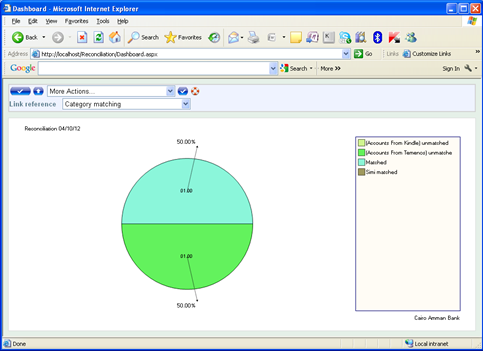
We've just rolled out a new reconciliation system; it’s a dynamic system that allows the admin user to setup and create the template table upon his needs. The system is web based, so it can be accessed from anywhere within the LAN of the bank, company, etc...
SmartRecon is a reconciliation system that enables you to do the following:
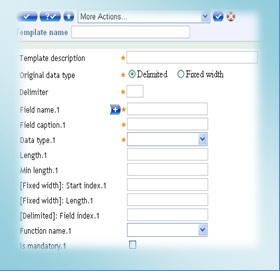
• Create templates to hold files that to be reconciled.
• Dynamic linking between fields to reconcile.
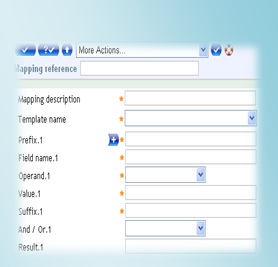
• Dynamic mapping for fields.
• Dash board.
• Dynamic report builder.
• Backup tools for system database.
• Security and users permissions.
• User defined functions (VB.NET code).
BENEFITS
• Dynamic building source files templates.
• Two ways of files upload: Client upload & Server upload.
• Web based – wide access.
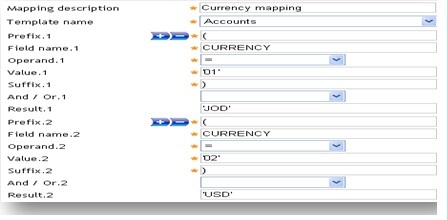
• Dynamic mapping building.
• Classic style and user friendly.
• Easy use.
• Huge data storage.
• Appropriate for banks, companies, financial institutions.
• Dash board viewer.
• Dynamic
The system is completely dynamic. The end user can build either source files templates, fields mapping, and reports.
• Indexing system
Permits organizing files data into related templates.
• Dash board viewer
Enable users to view results of reconciliation as dash board.
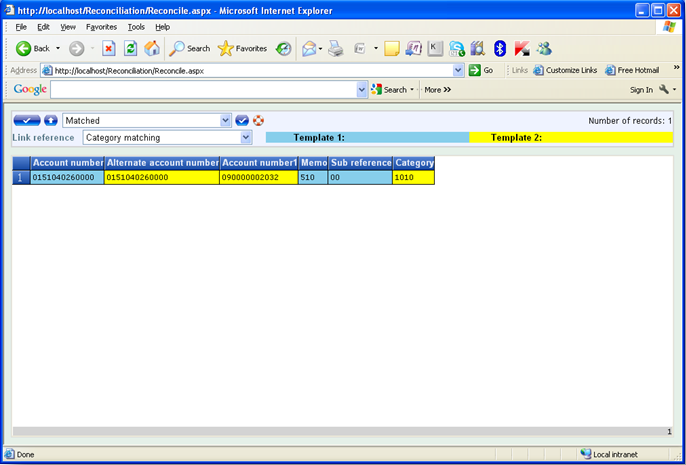
• Reconciliation results
View Matched, Simi-matched, Unmatched records in both templates.
• Dynamic reports
User can build unlimited number of reports that make it easy to reconcile data.
• VB.NET code editor
To import source files into the system, user can write VB.NET code that controls the system, and handle whatever developers did not do.
• ERM storage
Large volume electronic storage media for permanent archiving of reconciled data.
• Database backup
After any reconciliation process, user can back up the database. And after that, database will be empty enabling the user to start a new reconciliation process.
• Database restore
User can restore an old database to view the results of old reconciliation process.
• Because it is a fully dynamic system.
• Because it can handle unlimited number of templates.
• Because it can build any report with any criteria.
• Because it can map any field to any other field.
• Because it can link any field with any destination field.
• Because it allows user to build his own functions (VB.NET).
• Because it view results as dash board.
• Because it can view Matched, Simi-matched, Unmatched records.
• Because it support backup & restore functionalities.
• Because it is web based, so it can be accessed from anywhere within the LAN, or WAN.
• Because it is easy to use.
• Because its user friendly.
SmartRecon workflow
SmartRecon Workflow as follow:
1- Build templates with source files structures.
2- Import source files into the system.
3- Build mapping in case of different data mapping.
4- Build user function for custom reasons.
5- Build links between data sources.
6- Define output fields’ structures.
7- Build needed reports.
8- Start reconciliation process.
9- View Matched records.
10- View Simi-matched records.
11- View [File #1] unmatched records.
12- View [File #2] unmatched records.
13- Display dash board viewer.
14- Backup database.
15- Empty database for next reconciliation process.
|